
Connected devices

Whoop promo codes

Whoop

Whoop sells a screenless tracker worn around the clock, billed as a subscription rather than a purchase. It measures heart rate, heart rate variability, skin temperature and sleep stages, and the app turns those into three readings: your recovery in the morning, the strain you have piled up during the day, and how much sleep you need that evening. The band charges from an external battery that clips onto it, so it never has to leave your wrist.

  • 1active promo codes
  • $55.89biggest discount
  • not yetsuccess rate

The promo codes in the Whoop file

Valid in All countries France Belgium Switzerland 1 code shown
Official code France only

Alucare

$55.89 for you

$57.95 off your first Whoop membership

No code to enter: the discount applies when you go through this link. New members only, on the first subscription.

Nobody has tested it yet

Checked on 7 August 2026
File it

How to use a Whoop promo code?

  1. 1

    Step 1

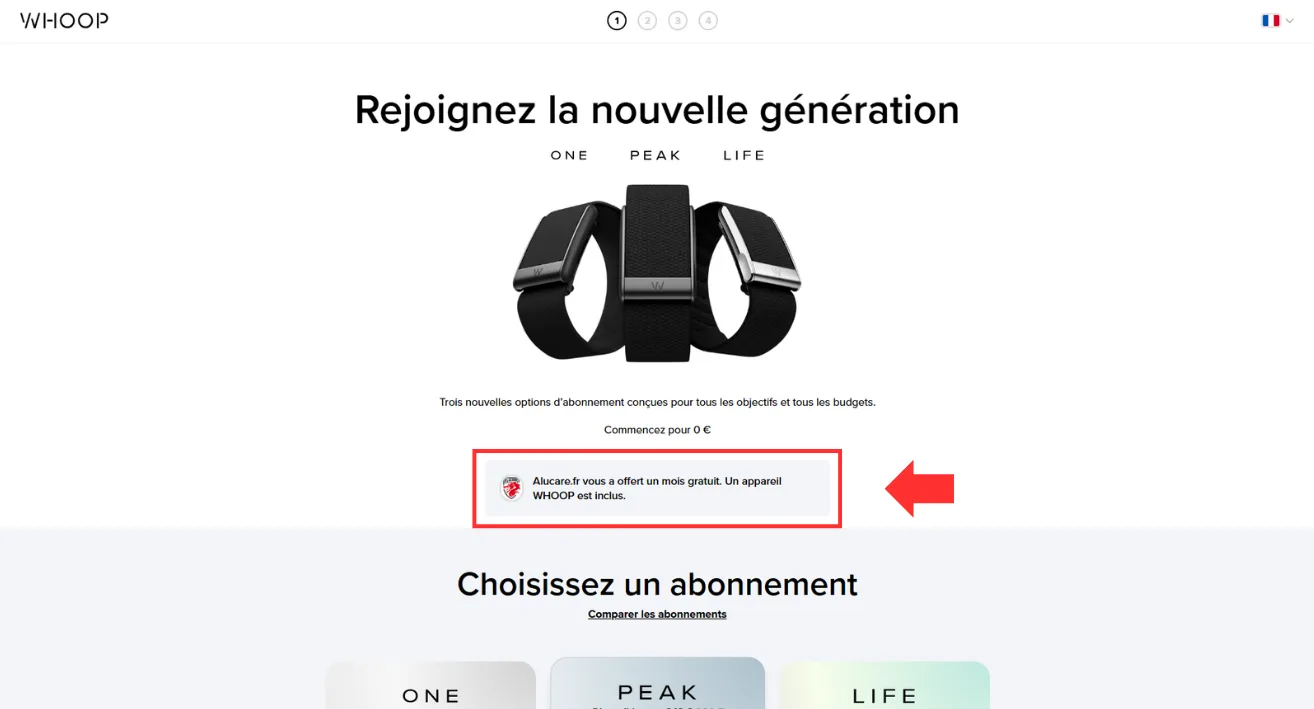
    Click the button to unlock the free month offer.

    To claim the free month offered through Alucare, click the "Go to Whoop" button. A message then confirms the offer has been applied.

    Go to Whoop

  2. 2

    Step 2

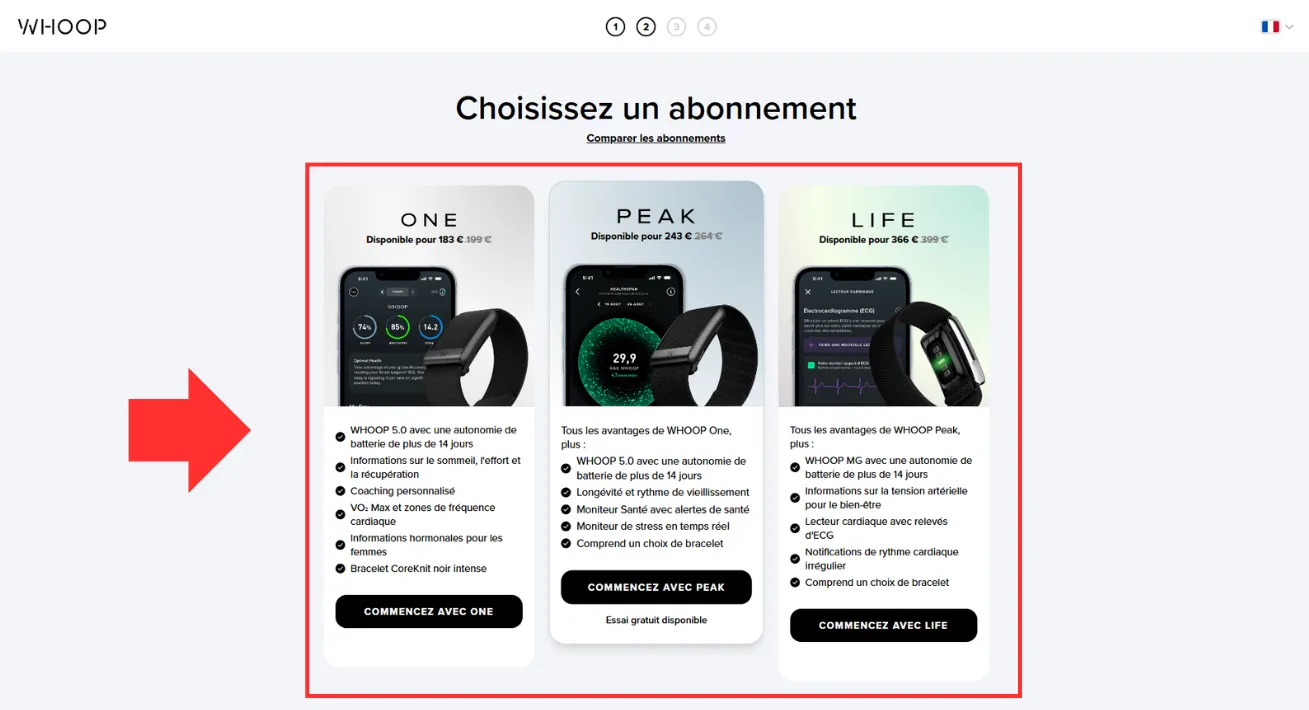
    Choose from the three available plans.

    Scroll down the page, choose the plan you want, then click "Get started with…"

    Go to Whoop

  3. 3

    Step 3

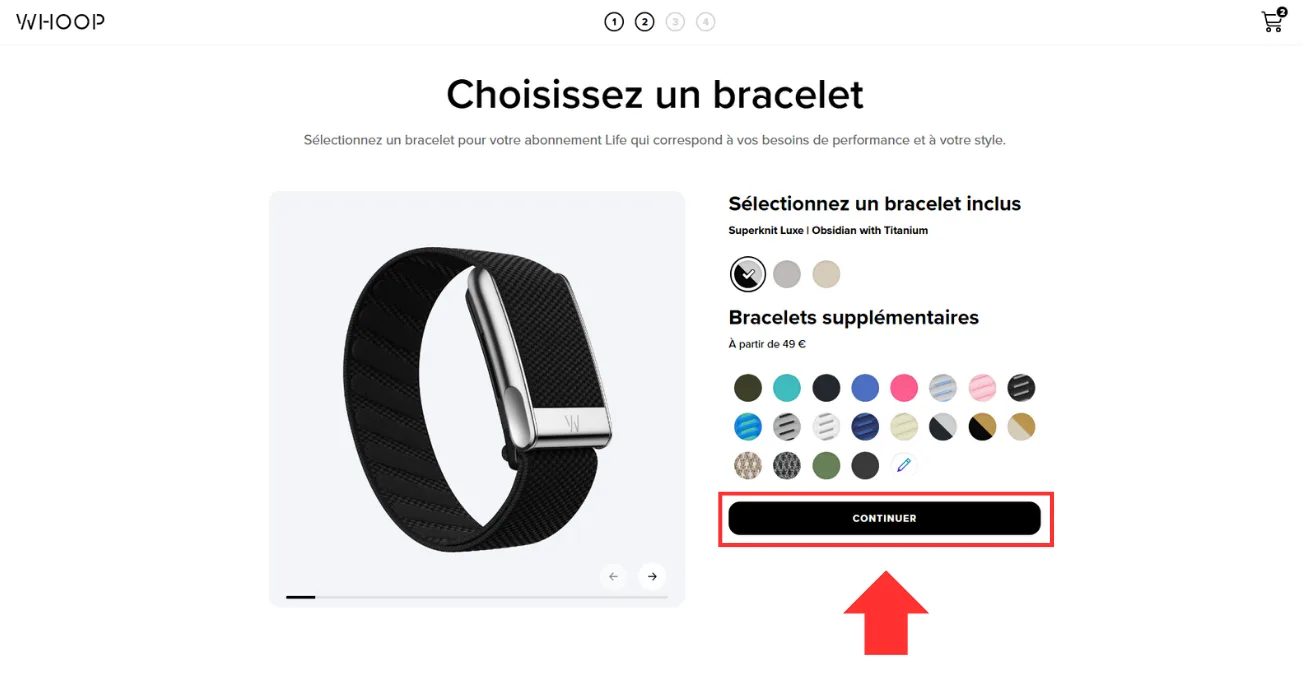
    Customise your band and click "Continue".

    Customise your band. Once you are done, click "Continue".

    Go to Whoop

  4. 4

    Step 4

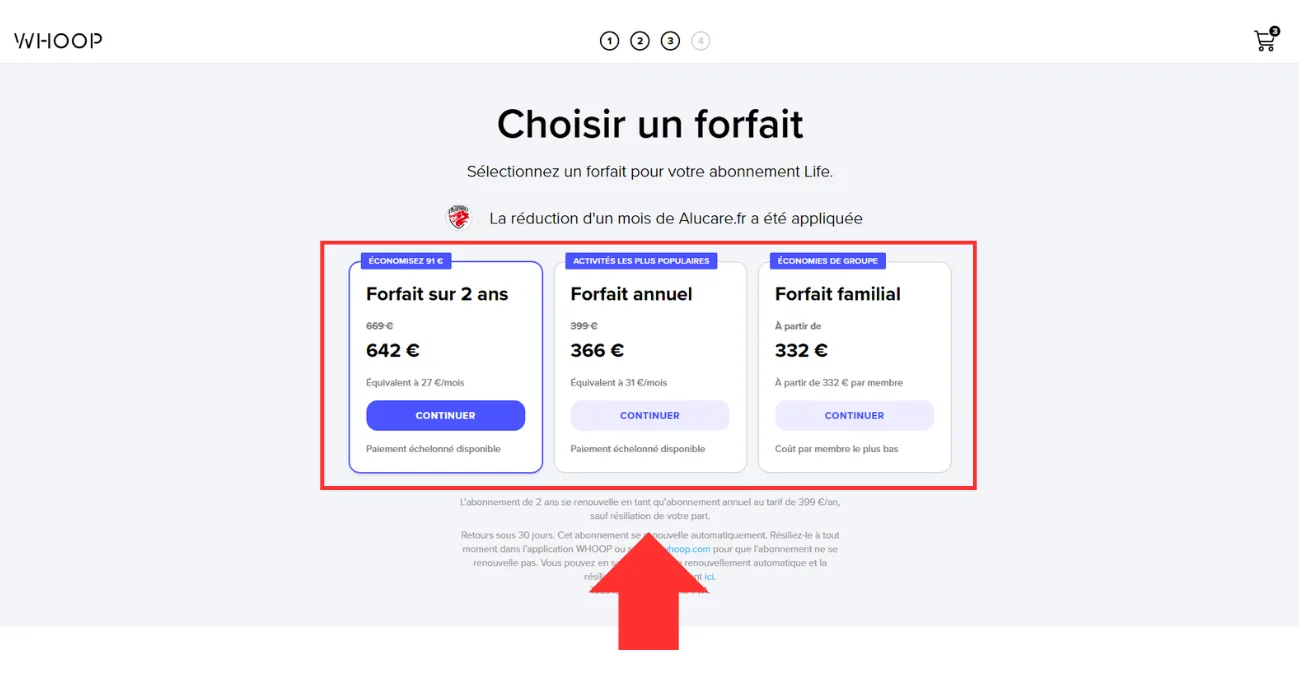
    There are three plans to choose from.

    Choose the plan you want, then carry on.

    Go to Whoop

  5. 5

    Step 5

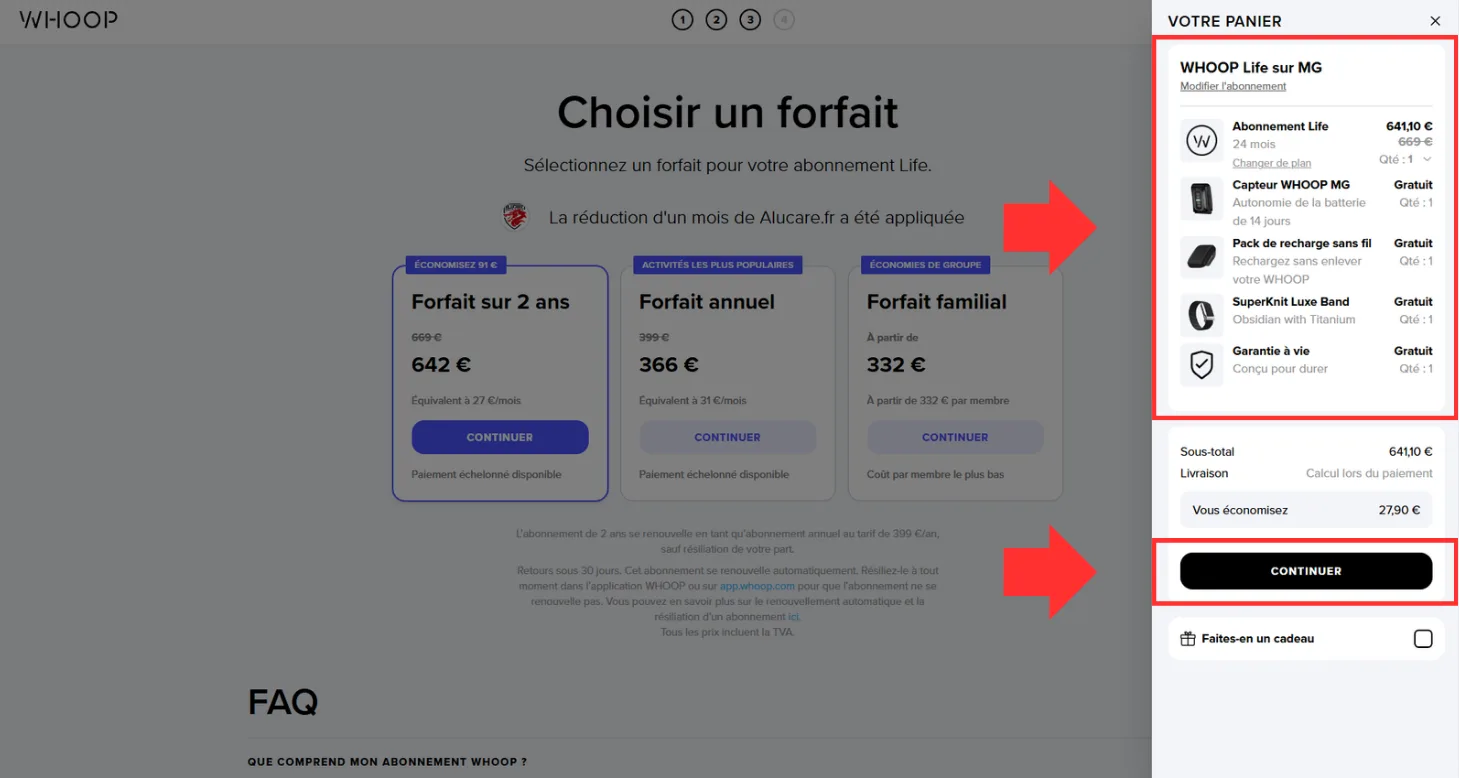
    Check your basket and click "Continue".

    Once the plan is chosen, you can check your basket. If it looks right, click "Continue".

    Go to Whoop

  6. 6

    Step 6

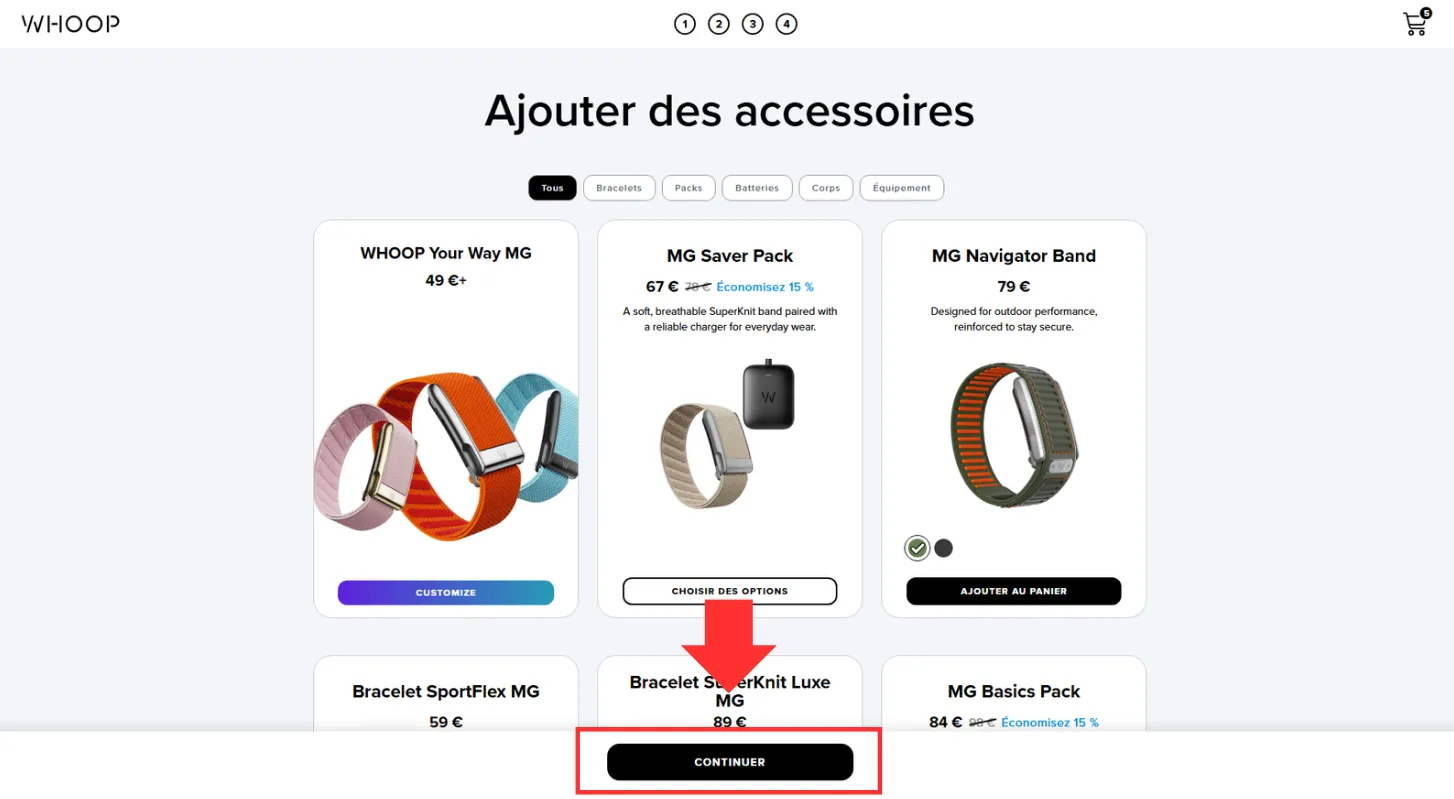
    Choose any extra accessories and click "Continue".

    You land on a page for extra accessories. Make your choice and click "Continue".

    Go to Whoop

  7. 7

    Step 7

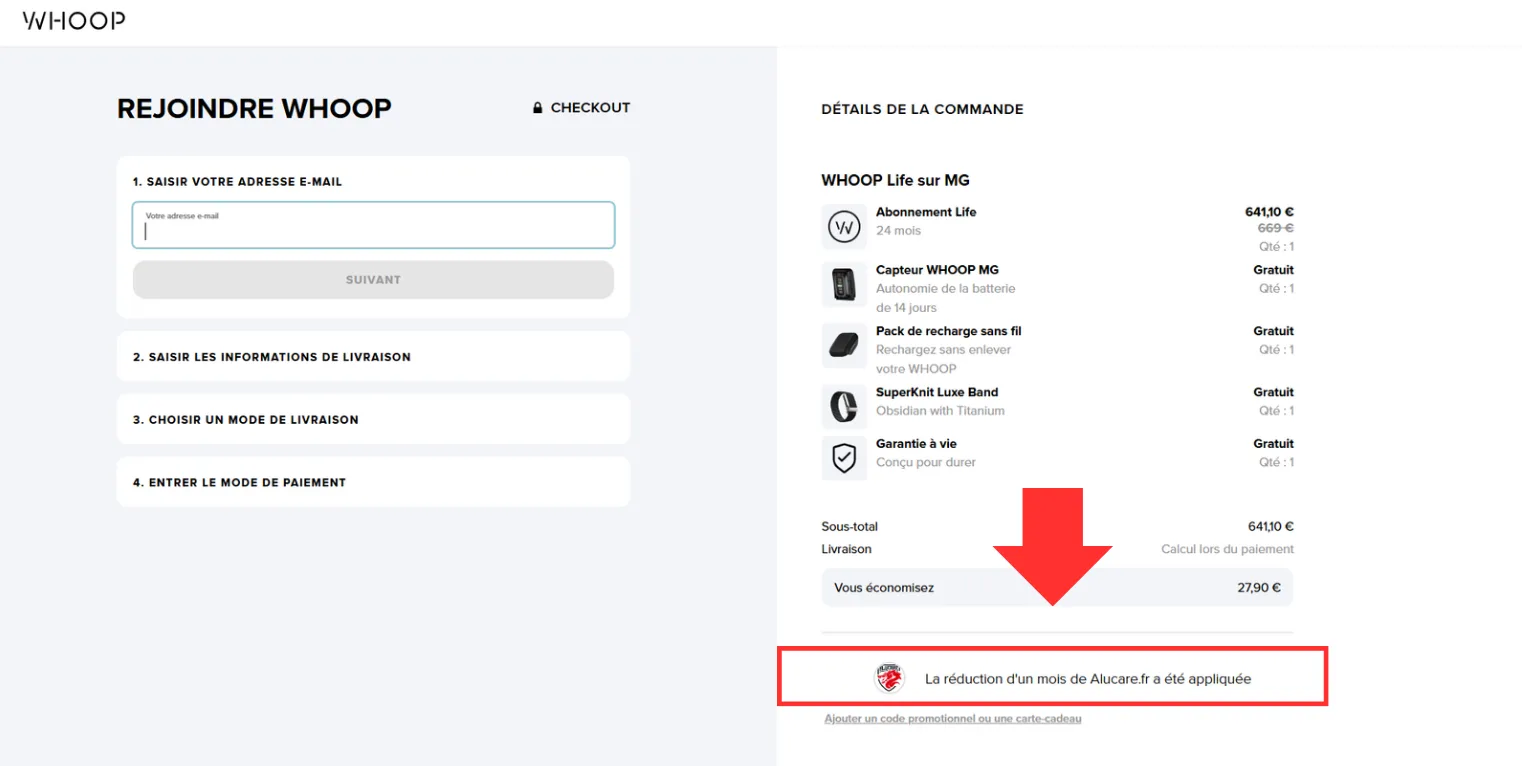
    The promo code field.

    As you can see, the Alucare offer has been applied. If you have a promo code to add, this is where it goes.

    Go to Whoop

  8. 8

    Step 8

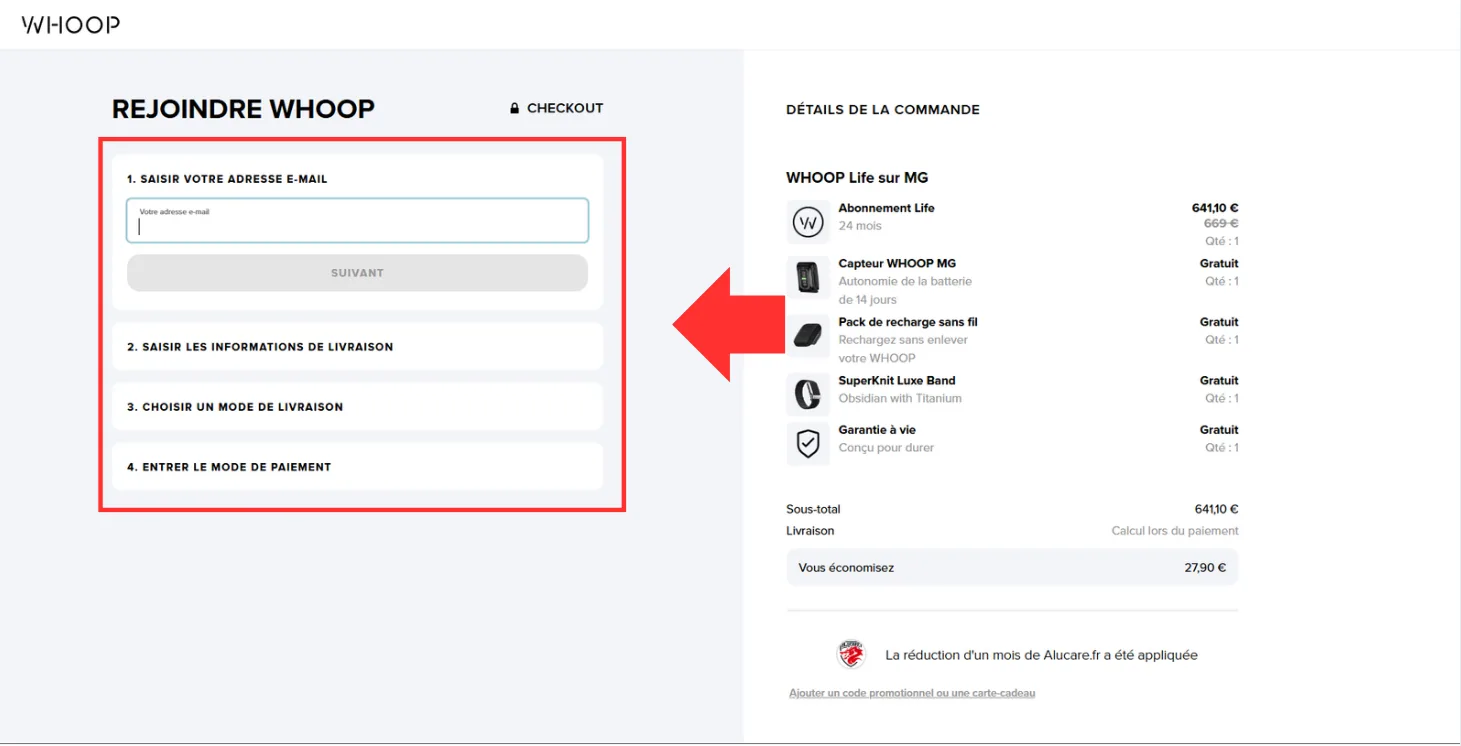
    Complete the four forms and finish your purchase.

    On this last step, complete the four forms to finish your purchase.

    Go to Whoop

1 / 8

How to get a Whoop promo code

To get a Whoop promo code, you use a code shared by an existing member, or look for partnerships on social media. If you are a student, official discounts are available through Student Beans.

On our side, use the link above to get a free month on your Whoop subscription.

See all the codes

Frequently asked questions about Whoop promo codes

Is the WHOOP promo code only for new members?

Some promotions are indeed reserved for new members. Several of the offers going around at the moment are aimed at a first subscription. Other codes go out to existing members as part of personalised offers.

Why is my WHOOP promo code not working?

A code can be refused because it has expired, has already been used, is meant for a different audience, or does not work with the plan you chose. WHOOP's official terms also state that codes can be deactivated and can expire before they are used.

Can a WHOOP promo code be used more than once?

As a rule, no. WHOOP's terms of sale state that a promotional code can only be used once per person. Some promotions may have their own conditions.

Can WHOOP promotions be combined?

That depends on the conditions of each offer. WHOOP's terms state that every code comes with its own rules, so you need to check whether a promotion can be combined with another discount or a benefit already applied.

Do WHOOP promo codes expire?

Yes. The official terms say explicitly that promotional codes can expire before they are used, and can also be deactivated by WHOOP.

Neighbouring files